Starting on the day before Mardi Gras, I will be joining EdgeCase working in their Cincinnati office. To me, a much bigger party than they'll be having in the French Quarter!
This is a phenomenal opportunity, working alongside the genius of Jim Weirich and Scott Barron every day, and collocated with the Gaslight Software crew. (Let me tell you, this is a really smart room.)
Many thanks to Joe, Ken, Adam and Leon for taking the time to meet with me and make sure I'd fit there, and to everyone who's supporting me in this transition. To be sure, I'll miss the folks I've been working with, but I'm ready to get cracking on new stuff!
Showing posts with label Agile. Show all posts
Showing posts with label Agile. Show all posts
Monday, February 21, 2011


Wednesday, October 15, 2008
Enhancements to Railroad
A picture is worth a thousand words, and is certainly easier to talk about than reading a bunch of code. At least for me.
On a recent Rails project two dozen models and sixty associations were needed to drive the application. A medium sized effort. However, it's tough to talk users through the complexity when the need arises, even when you're just dealing with a small chunk. After drawing circles and arrows on whiteboards too many times, I decided to mechanize.
I'd used Railroad (a great rubygem written by Javier Smaldone) a few times before to document smaller projects. It loads models and controllers from a rails project and renders everything in 'dot' format that can be processed by graphviz, an open source graph rendering framework. I railroaded the app and quickly had diagrams in hand. Happiness all around.
But there were a few things I noticed as I talked around the pictures. I needed colors. And labels. And fewer circles and arrows. I decided to take a dive into the railroad code and add some features.
What I eventually ended up with was a considerable set of changes.
Changes to Allow Subgraphing
Often I didn't want to see the whole graph at once. What I wanted was the ability to include only the models I listed, or exclude a set of models from the whole. After implementing this, I decided I also wanted the ability to focus on a set of nodes, including them and any other directly-connected nodes.
By using -F, -E and -I in combination, a logical subset of the model can be displayed fairly easily.
Model Node Content Display Changes
I found that I sometimes needed more or less information in a displayed node. Brief mode was already present (for just displaying the class name in a node) but I wanted a little more content control.
Using -B with -F turned out to be a great way to present information. I could see what was being focused upon in context, without extraneous detail.
Changes to Association Display
I found I needed to be able to show different associations differently. Conventional Rails associations were fine, left black and unlabeled. But polymorphic associations, many-to-many through relationships, and unconventionally named associations needed different labels and colors. By default, I decided to always display these and provide methods to hide them.
Multiple Diagrams at Once
Once the rest was done and I'd used it all for a while, I decided that automatically generating a focused diagram for each model would save me a lot of time.
A simple rake task completed the automation:
What I now have is a nice, simple way to produce diagrams of the database and associations between tables for discussion and documentation. I submitted the patch to Javier and hopefully it will be integrated into the railroad trunk fairly soon. You can grab railroad-0.5.0 and the patch and play with it if you want by downloading it from rubyforge.
On a recent Rails project two dozen models and sixty associations were needed to drive the application. A medium sized effort. However, it's tough to talk users through the complexity when the need arises, even when you're just dealing with a small chunk. After drawing circles and arrows on whiteboards too many times, I decided to mechanize.
I'd used Railroad (a great rubygem written by Javier Smaldone) a few times before to document smaller projects. It loads models and controllers from a rails project and renders everything in 'dot' format that can be processed by graphviz, an open source graph rendering framework. I railroaded the app and quickly had diagrams in hand. Happiness all around.
But there were a few things I noticed as I talked around the pictures. I needed colors. And labels. And fewer circles and arrows. I decided to take a dive into the railroad code and add some features.
What I eventually ended up with was a considerable set of changes.
Changes to Allow Subgraphing
Often I didn't want to see the whole graph at once. What I wanted was the ability to include only the models I listed, or exclude a set of models from the whole. After implementing this, I decided I also wanted the ability to focus on a set of nodes, including them and any other directly-connected nodes.
By using -F, -E and -I in combination, a logical subset of the model can be displayed fairly easily.
Model Node Content Display Changes
I found that I sometimes needed more or less information in a displayed node. Brief mode was already present (for just displaying the class name in a node) but I wanted a little more content control.
Using -B with -F turned out to be a great way to present information. I could see what was being focused upon in context, without extraneous detail.
Changes to Association Display
I found I needed to be able to show different associations differently. Conventional Rails associations were fine, left black and unlabeled. But polymorphic associations, many-to-many through relationships, and unconventionally named associations needed different labels and colors. By default, I decided to always display these and provide methods to hide them.
Multiple Diagrams at Once
Once the rest was done and I'd used it all for a while, I decided that automatically generating a focused diagram for each model would save me a lot of time.
A simple rake task completed the automation:
@railroad_command = Config::CONFIG["target_vendor"] == 'pc' ?
  'railroad.bat' : 'railroad'
task :graphs do
FileUtils.mkdir_p 'graphs'
`#{@railroad_command} -M -b -o graphs/_overview.dot`
`#{@railroad_command} -M -B -O graphs/`
FileUtils.cd 'graphs' do
FileList['*.dot'].each do |f|
`dot -Tpng #{f} -o #{f.gsub(/dot$/,"png")}`
end
end
endFinally, I refactored the completed code, DRYing out the iterative changes I'd made.What I now have is a nice, simple way to produce diagrams of the database and associations between tables for discussion and documentation. I submitted the patch to Javier and hopefully it will be integrated into the railroad trunk fairly soon. You can grab railroad-0.5.0 and the patch and play with it if you want by downloading it from rubyforge.
Wednesday, July 16, 2008
Running Fast and the Demise of Dynamic Scaffolding in Rails
Sometimes things just get away from you. You get distracted, turn your head, and then when you look back everything's changed.
Admittedly I haven't been on the Rails edge for a while. My day job keeps me in Java, and my own work has been more focused on interfacing with FXRuby than through a browser. When I did use Rails, I used my older version and got along just fine.
But over the last few weeks I decided to pull in the latest and greatest. A few minutes of Rails 2.1 Gem downloading, another minute to create an app framework, lay in a db design as a migration, create a controller and add the requisite scaffold call into the code, and give it a try...
Dynamic scaffolding is no longer part of Rails. It was removed because it was considered detrimental - since scaffolding is intended to be temporary, it should be able to be easily removed. If the guts of scaffolding are dynamic, only being instantiated at runtime, you can't replace the scaffolding incrementally. It's all or nothing, which is hardly agile.
Of course, in the upcoming third edition of Agile Development with Rails this all explained. In the old days (sic) of dynamic scaffolding, a change to the database table underlying an interface changed the interface. Though this is no longer the case, the book includes examples of how to change the code files manually. You add a few lines of code to a few different files and everything just works.
This is great when you're changing polished code, but a pain when you're prototyping. When you're building the initial cut of an app and data model, you want to play before you do any polishing. Work on the big picture first! Adding code to a couple of different files is a burden at this point. Especially since every character you have to type has a relatively large potential to be wrong and slow you down.
While I certainly don't expect to get dynamic scaffolding back (although I could use some alternatives - Streamlined or ActiveScaffold, for instance,) internally Rails does know how to produce the scaffolding code. It makes sense to be able to use Rails to generate the textual pieces of any new scaffolding so that they can be quickly cut and pasted into place.
I don't really care how it's done - output to a file, or the screen, or grafted to the end of the migration as a comment, or whatever - but it should be done by Rails. I really don't want any specialized capability for producing missing scaffolding in an editor macro or template. Editors should be general purpose, requiring little to no maintenance. Putting the intelligence into macros and templates would force them to have to track the next changes in Rails. Cut and paste seems an optimal strategy in the face of losing dynamic scaffolding.
Don't get me wrong. Removing dynamic scaffolding is clearly a good thing for all the reasons it was done. But in the spirit of writing less code, Rails should facilitate the development process by producing intended scaffolding on demand to be copied into place by the developer. This would make it quicker to "get things right" and keep any new scaffolding style-synchronized with the initially generated Rails scaffolding.
Leastways, it couldn't hurt.
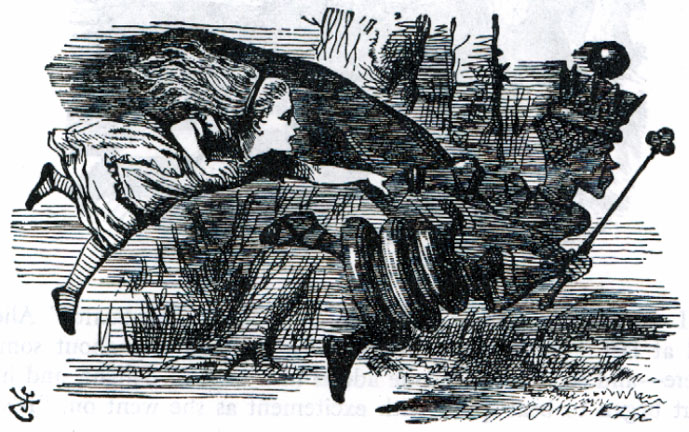 |
| "In this place it takes all the running you can do, to keep in the same place." - Red Queen to Alice in Lewis Carroll's Through the Looking Glass |
Admittedly I haven't been on the Rails edge for a while. My day job keeps me in Java, and my own work has been more focused on interfacing with FXRuby than through a browser. When I did use Rails, I used my older version and got along just fine.
But over the last few weeks I decided to pull in the latest and greatest. A few minutes of Rails 2.1 Gem downloading, another minute to create an app framework, lay in a db design as a migration, create a controller and add the requisite scaffold call into the code, and give it a try...
Dynamic scaffolding is no longer part of Rails. It was removed because it was considered detrimental - since scaffolding is intended to be temporary, it should be able to be easily removed. If the guts of scaffolding are dynamic, only being instantiated at runtime, you can't replace the scaffolding incrementally. It's all or nothing, which is hardly agile.
Of course, in the upcoming third edition of Agile Development with Rails this all explained. In the old days (sic) of dynamic scaffolding, a change to the database table underlying an interface changed the interface. Though this is no longer the case, the book includes examples of how to change the code files manually. You add a few lines of code to a few different files and everything just works.
This is great when you're changing polished code, but a pain when you're prototyping. When you're building the initial cut of an app and data model, you want to play before you do any polishing. Work on the big picture first! Adding code to a couple of different files is a burden at this point. Especially since every character you have to type has a relatively large potential to be wrong and slow you down.
While I certainly don't expect to get dynamic scaffolding back (although I could use some alternatives - Streamlined or ActiveScaffold, for instance,) internally Rails does know how to produce the scaffolding code. It makes sense to be able to use Rails to generate the textual pieces of any new scaffolding so that they can be quickly cut and pasted into place.
I don't really care how it's done - output to a file, or the screen, or grafted to the end of the migration as a comment, or whatever - but it should be done by Rails. I really don't want any specialized capability for producing missing scaffolding in an editor macro or template. Editors should be general purpose, requiring little to no maintenance. Putting the intelligence into macros and templates would force them to have to track the next changes in Rails. Cut and paste seems an optimal strategy in the face of losing dynamic scaffolding.
Don't get me wrong. Removing dynamic scaffolding is clearly a good thing for all the reasons it was done. But in the spirit of writing less code, Rails should facilitate the development process by producing intended scaffolding on demand to be copied into place by the developer. This would make it quicker to "get things right" and keep any new scaffolding style-synchronized with the initially generated Rails scaffolding.
Leastways, it couldn't hurt.
Monday, June 09, 2008
The Joy of Testing with EasyLog
In a previous entry I talked about my EasyLogging infrastructure. I'm even happier about it now. I ended up writing some tests and code over the weekend and found myself wanting to track values during my development iterations. With my log_debug statements in the code I simply needed to establish the logging context in the test case to see what my value flows looked like.
At the beginning of the test file, test class, or even interspersed in the test method itself I do a
I started to use it consistently in my test cases, putting finish_logging in the teardown method, and then at the top of the test case logging to STDERR if I wanted output or to nil if I didn't. Coupled with the logging in the classes I'm writing (which are subjected to thresholding and directed to files in normal operation) this makes quick work of determining where things have gone awry when tests fail in subtle ways.
Fail in subtle ways? Isn't that an indicator that more tests need to be written? Yes, of course! But in the real world, not all the tests that should get written actually do get written, despite our good intentions. The logging is especially useful in these situations to help identify untested conditions. If I turn on logging output, and then look at the code and a few lines of logged values, I can figure out what's going on and whip together a test a lot more quickly than just wondering why the heck my code isn't doing what I though it should.
At the beginning of the test file, test class, or even interspersed in the test method itself I do a
start_logging STDERRwhen I want logging to begin. At that point any messages that are logged will be written while the test proceeds. When I'm no longer interested, I can do a finish_logging to stop the logging output.I started to use it consistently in my test cases, putting finish_logging in the teardown method, and then at the top of the test case logging to STDERR if I wanted output or to nil if I didn't. Coupled with the logging in the classes I'm writing (which are subjected to thresholding and directed to files in normal operation) this makes quick work of determining where things have gone awry when tests fail in subtle ways.
Fail in subtle ways? Isn't that an indicator that more tests need to be written? Yes, of course! But in the real world, not all the tests that should get written actually do get written, despite our good intentions. The logging is especially useful in these situations to help identify untested conditions. If I turn on logging output, and then look at the code and a few lines of logged values, I can figure out what's going on and whip together a test a lot more quickly than just wondering why the heck my code isn't doing what I though it should.
Monday, May 05, 2008
Exploratory Surgery and Unit Testing
Test Driven Development is one of those milestones in your development career that once reached, seldom causes you to look back. When writing unit tests before you write the code to pass them becomes second nature, and re-running the unit tests on each change becomes part of the development process, quality simply mushrooms.
But the Church of TDD has several orthodoxies. One sect insists that only the public parts of a unit should be tested. Another says that everything needs to be tested, public or private. I'm a proud member of a third group, whose credo is expounded by Cedric Beust: When it comes down to testing, I follow a simple rule: "if it can break, test it." This pragmatic position seems perfect for the agile developer. Still, as much as possible, I try to keep my private methods lightweight and stick to testing the visible public methods, exercising them extensively enough to make sure the underlying private ones work.
However, I was recently putting together some code that served as a dispatcher: a public method would dispatch to one of a number of private methods depending on some set of conditions. Normally I'd just set up each condition and make sure the returned value was what was expected. But in this case, the dispatching was done inside a new Thread, and no reasonable surface value was returned to check. I needed to get under its skin and test the private methods.
Ruby is kind to testers. I'm a big fan of extending a class within the unit test code itself that will let me do a more complete job. Exposing an attribute or mocking a return value in the testing code is all part of the game, as long as I'm not changing the code I'm releasing. If I have to slip something into the code under test, then it's too dirty. It shouldn't have any inkling being tested, otherwise the system breaks down, governments collapse and fire starts raining from the sky. No thank you.
Instead, one needs to do exporatory operations with surgical instruments. Probe the body, touch a nerve, see what twitches. And for god's sake, don't change anything! In this sense, the private method is the nerve you're touching - what is needed is the probe that lets you get at it.
As everyone knows, testing a public method, say bar, is easy:
I've found this to be a quite a nice surgical probe in my quest for better unit testing.
But the Church of TDD has several orthodoxies. One sect insists that only the public parts of a unit should be tested. Another says that everything needs to be tested, public or private. I'm a proud member of a third group, whose credo is expounded by Cedric Beust: When it comes down to testing, I follow a simple rule: "if it can break, test it." This pragmatic position seems perfect for the agile developer. Still, as much as possible, I try to keep my private methods lightweight and stick to testing the visible public methods, exercising them extensively enough to make sure the underlying private ones work.
However, I was recently putting together some code that served as a dispatcher: a public method would dispatch to one of a number of private methods depending on some set of conditions. Normally I'd just set up each condition and make sure the returned value was what was expected. But in this case, the dispatching was done inside a new Thread, and no reasonable surface value was returned to check. I needed to get under its skin and test the private methods.
Ruby is kind to testers. I'm a big fan of extending a class within the unit test code itself that will let me do a more complete job. Exposing an attribute or mocking a return value in the testing code is all part of the game, as long as I'm not changing the code I'm releasing. If I have to slip something into the code under test, then it's too dirty. It shouldn't have any inkling being tested, otherwise the system breaks down, governments collapse and fire starts raining from the sky. No thank you.
Instead, one needs to do exporatory operations with surgical instruments. Probe the body, touch a nerve, see what twitches. And for god's sake, don't change anything! In this sense, the private method is the nerve you're touching - what is needed is the probe that lets you get at it.
As everyone knows, testing a public method, say bar, is easy:
   def test_bar
     Foo foo = Foo.new
     assert_equal foo.bar, expected_bar,
                  "all is not well in Foo's bar."
   end
but if we have a private method, frapp, you need to get at it surgically. I opt for a variation in a mechanism proposed by Jay Fields that offers less exposure:class Class
def publicize_private_instance_method(method)
needs_publicity =
self.private_instance_methods.include? method.to_s
public method if needs_publicity
yield
private method if needs_publicity
end
end
This allows the simple test: def test_frapp
Foo foo = Foo.new
Foo.publicize_private_instance_method :frapp do
assert_equal foo.frapp, expected_frapp,
"all is not well in Foo's frapp."
end
By only exposing the one private method during the course of the test, I'm minimizing the possibility of any unintentional effects of its publicity, and thus am bit more confident than changing the character of the entire class and all of the classes from which it inherits.I've found this to be a quite a nice surgical probe in my quest for better unit testing.
Sunday, February 24, 2008
Cleverness
In some recent writing, I once again was thinking about how I'd get something done. I realized that in this instance it was time for a clever solution rather than something more rigorous or systematic. So I popped out some code that did the job quickly, with a dash of elegance and bravado.
Afterwards, it got me thinking that one of the greatest compliments I've gotten when I've done this sort of thing is that I'd been clever.
There are some who see clever as a negative - it reeks of non-reproducibility and heroic-effort rather than the more dependable repeatable-process and committee-based decision. Yikes! Quite boorish folks if you ask me! Give me the adroit and courageous over that hesitant ilk any day!
Clever Rocks!
Afterwards, it got me thinking that one of the greatest compliments I've gotten when I've done this sort of thing is that I'd been clever.
- Clever makes me feel good - a very positive rush.
- Clever is a little added oomph that makes a good solution into a cool solution.
- Clever has a feeling of fun and wit to it that is missing from it's more boring cousins capable, organized, or methodical.
- Clever pushes against the ordinary and admits that there's more to life than following a procedure.
- Clever adds fun to the journey.
There are some who see clever as a negative - it reeks of non-reproducibility and heroic-effort rather than the more dependable repeatable-process and committee-based decision. Yikes! Quite boorish folks if you ask me! Give me the adroit and courageous over that hesitant ilk any day!
Clever Rocks!
Thursday, December 07, 2006
Very Proud To Use XP Am I
The XPJUG XP-Fiesta Official Song - a foreign musical interpretation of a software development methodology
http://www.youtube.com/watch?v=zpw8h4OGNxg
"Dear XP" - Samurai Katamaris
I realized for the first time
the true strength of human collaboration.
Two chairs next to each other
but one computer together
watching flowing clouds
and the source code.
XP, Dear XP
On the wall
we remember the task cards
the team struggled with in the summer days.
XP, Dear XP
Want to talk with you
want to share with you
efforts and pleasures more and more.
To live a life
is to make yourself better.
Yes beyond the strong defense of yourself
toward the courage of changing yourself
having hope in your heart
and look at the future together.
Xp, Dear XP
Your friends are waiting for you
sometimes go on the spree
but put a smile on the smiley calendar.
XP, Dear XP
Want to talk with you
want to share with you
efforts and pleasures more and more.
For tomorrow's you and me.
http://www.youtube.com/watch?v=zpw8h4OGNxg
"Dear XP" - Samurai Katamaris
I realized for the first time
the true strength of human collaboration.
Two chairs next to each other
but one computer together
watching flowing clouds
and the source code.
XP, Dear XP
On the wall
we remember the task cards
the team struggled with in the summer days.
XP, Dear XP
Want to talk with you
want to share with you
efforts and pleasures more and more.
To live a life
is to make yourself better.
Yes beyond the strong defense of yourself
toward the courage of changing yourself
having hope in your heart
and look at the future together.
Xp, Dear XP
Your friends are waiting for you
sometimes go on the spree
but put a smile on the smiley calendar.
XP, Dear XP
Want to talk with you
want to share with you
efforts and pleasures more and more.
For tomorrow's you and me.
Tuesday, January 24, 2006
Getting DRYer Through Metaprogramming
Recently I did some metaprogramming. I was faced with some soggy Ruby code I'd evolved, and wanted to evaporate some of the moisture. By using metaprogramming, I was able to DRY things out again. Click the link to read a short description of my exploits.
Wednesday, January 04, 2006
"Just Stay on the Golden Path"
Jim Wierich and Scott Barron did excellent presentations on Rails at the XP-Agile Cincinnati User's Group meeting last night. Jim gave a rapid-fire intro to Rails, and Scott built an Contact Management app with Ajax support using test-driven development before our eyes.
During Jim's talk, he buzzed on the phrase "The Golden Path" - Rails' standard way of doing things. This was echoed around the room a bit, and then again when somone asked Scott about how hard it was to do non-standard Rails configuration. He replied that it wasn't particularly hard, but with tongue-in-cheek he said that we should all try to "just stay on the Golden Path."
A good night of great fun. And we'll all miss you, John Wilger.
During Jim's talk, he buzzed on the phrase "The Golden Path" - Rails' standard way of doing things. This was echoed around the room a bit, and then again when somone asked Scott about how hard it was to do non-standard Rails configuration. He replied that it wasn't particularly hard, but with tongue-in-cheek he said that we should all try to "just stay on the Golden Path."
A good night of great fun. And we'll all miss you, John Wilger.
Subscribe to:
Posts (Atom)